

Web Console
The Web Console is DearScenario Player's first-party HTTP client for control technicians and system integrators. It helps identify a node, read its current state, perform Maintenance setup, and send the same absolute playback commands as a show-control system. It is not a CMS, playlist editor, or exhibition operator remote.
http://<player-ip>:18290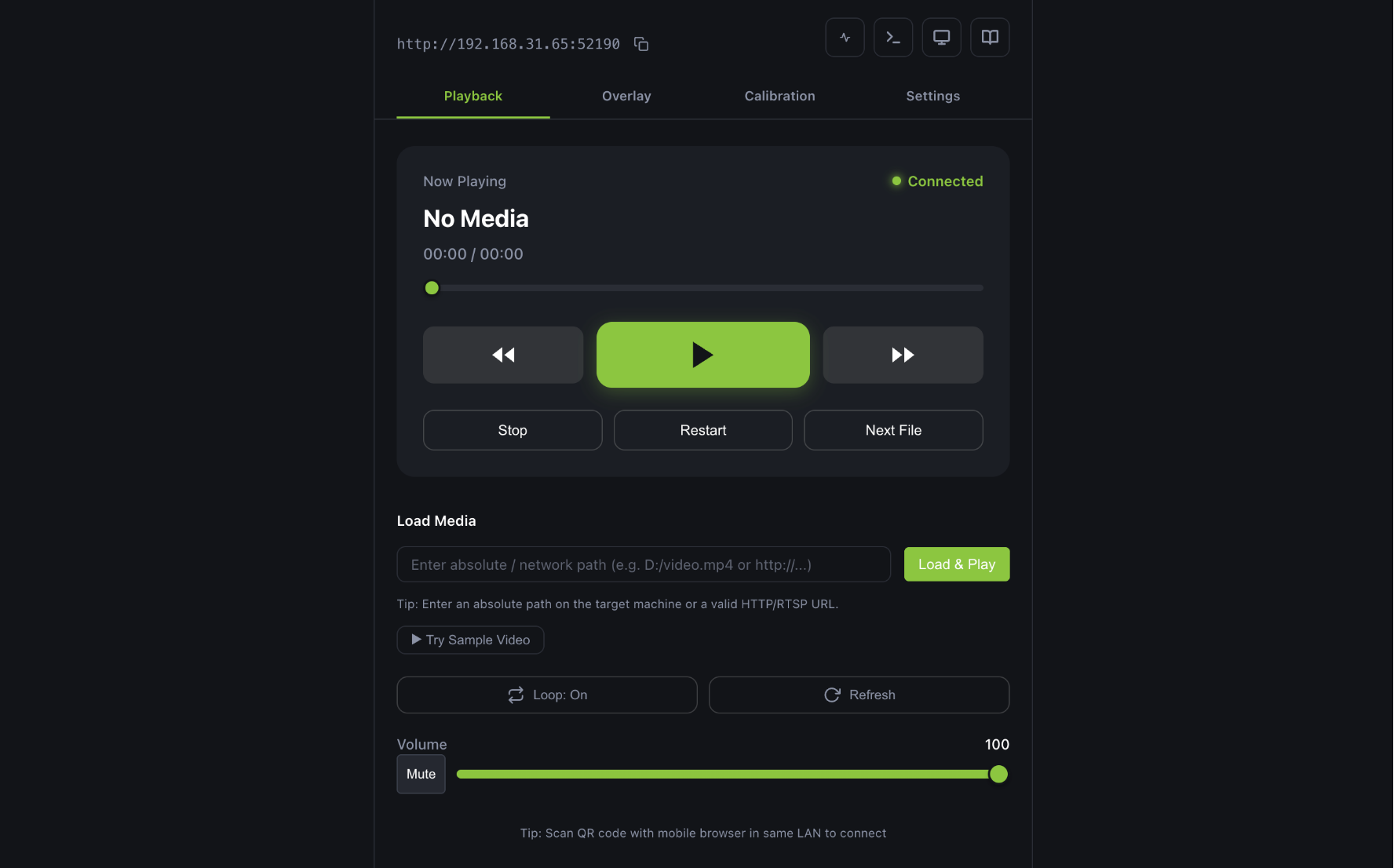
Network requirements
The Windows installer adds inbound allow rules for dearscenario-player.exe on Domain,
Private, and Public profiles. Portable ZIP does not — run fix-firewall.cmd
(as administrator) from the extracted folder. With those rules in place you
usually do not need to switch the network profile to Private.
If you clicked Cancel on the Windows Firewall prompt, or allowed Private
only, run fix-firewall.cmd again to clear the leftover block / Private-only
rules and recreate Public+Private allows.
The browser device and the player must be able to reach each other over the network:
- Windows Firewall allows DearScenario Player (installer Setup, or
fix-firewall.cmdfor portable ZIP). - Devices are on the same subnet (avoid AP isolation on venue Wi-Fi).
If you cannot change the network configuration, a simple workaround is to use a portable Wi-Fi hotspot (like a travel router or phone hotspot) to put both the player and your control device on the same network.
Normal and Maintenance
The page is always served by the HTTP listener, but its information architecture follows the process mode selected at startup:
| Mode | Console surface |
|---|---|
| Normal | Node identity, status, connection diagnostics, inspection thumbnail, and the small absolute playback surface for rehearsal or emergency use. |
| Maintenance | Everything in Normal, plus calibration, mask adjustment, health details, test playback, test OSD/Overlay, app_quit, and the Remote Debug link. |
The browser cannot change the process mode or elevate itself. HTTP 200 acknowledges validation
and queue admission; /api/status is optional feedback about the resulting playback state.
Main areas
| Area | What it does |
|---|---|
| Home | Confirm node identity, health, current media, inspection output, and absolute playback controls. |
| Maintenance | Setup, calibration, test playback, session-content diagnostics, and controlled exit; visible only in Maintenance. |
| API Debugger | Protocol workbench: switch Stable / Extension / Maintenance HTTP surfaces, send commands, and copy curl. OSC copy exists only for the stable 10-address dictionary; extension and maintenance commands are HTTP-only. |
| Remote Debug | Open the real-time engineering interface; available only from Maintenance. |
| Offline Docs | Browse documentation directly from the player. |
Previous / Next
- Previous: Security
- Next: Bitfocus Companion